How-To Guide
How To: Archive, Delete, and Restore Contacts
Contacts have seasons. Last year's soccer coach, the sitter who went off to college, the contractor from the kitchen remodel — they don't belong in your active list forever, but some of them you're not ready to lose. Or at least, you're not 100% sure you want to delete a contact yet, but you want it out of the way of your main lists. KeeperCircle gives you two ways to retire a contact, matched to whether you might want it back.
Archive: out of the way, but kept
Archiving moves a contact out of your active lists while keeping everything about it — details, notes, history. Nothing is lost, and you can bring it back any time.
Let's be clear about this though; most folks don't really prune our lists very well. Here's when you'll probably do it though. You just come across an old contact that you think, "it's going to annoy me to see that there forever, but I don't know… I don't want to delete it just yet just in case." This is what Archive is for. It takes such items out of your general view, but leaves them around just in case. You can dump them completely later on.
Use archive for contacts that recur or might: coaches between seasons, teachers after the school year, the pediatric dentist you switched away from but might return to.
- Open the contact.
- Choose Archive.
- To find it later, switch your contact list to the archived view.
- To bring it back, open the archived contact and choose Restore — it returns exactly as it was.
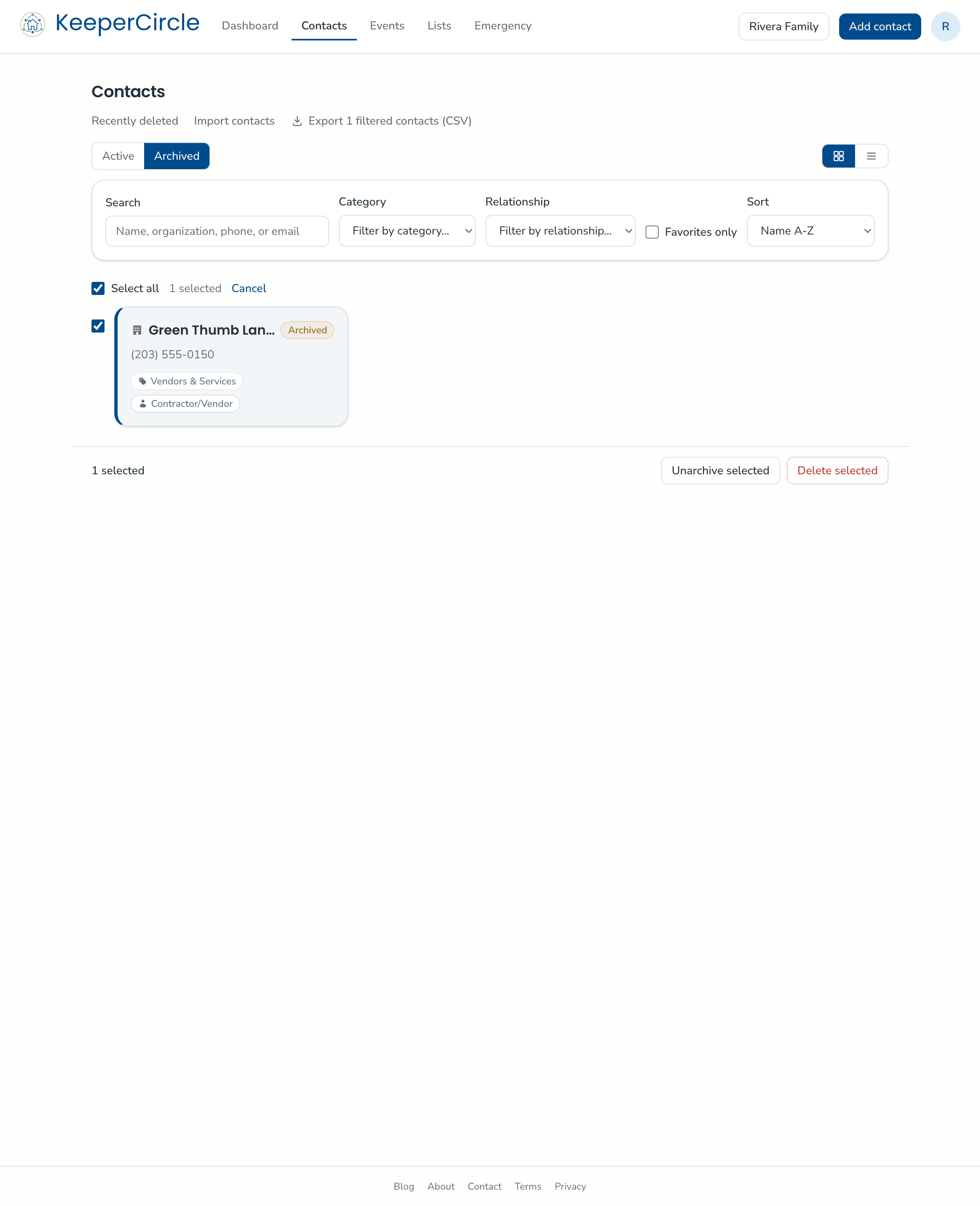
One thing to know on the free plan: archived contacts still count toward the 100-contact limit. Archiving tidies your list; it doesn't free up room.
Delete: a 30-day off-ramp, then gone
Deleting is for contacts you're all the way done with. A deleted contact stops counting towards any account limits immediately, but it isn't destroyed on the spot — it sits in a 30-day restore window in case you change your mind. After 30 days, it's permanently removed. As in gone from your database completely — once the window passes, it can't be brought back, by you or by support.
- Open the contact.
- Choose Delete.
- Changed your mind within 30 days? Find it in recently deleted and restore it.
Which one, when
| Archive | Delete | |
|---|---|---|
| Best for | Seasonal or might-return contacts | Contacts you're sure you're done with |
| How long it's kept | Indefinitely | 30 days, then permanently removed |
| Counts toward the free limit | Yes | No |
| Reversible | Yes | Within the 30-day window |
A once-a-year habit
A ten-minute pass at the end of each school year keeps the list honest: archive the season's coaches and room parents, delete the one-off vendors, and your active list stays exactly what your household actually uses.